Top Secret Christmas Present
***WEEK ONE***
(who knows how many more?)
Have you ever wanted to make a fabulous Mini Album but never knew how? Well that's how I feel and I have no clue how? Does that make me any less qualified...pfft NO! I'm winging it! I asked in my totally informal
FACEBOOK poll if you wanted to see the final project...or a weekly post! Everyone that answered went for weekly. This way if you want to build along with me you can! In no time we'll figure it out...right? This book is for my husband and he's excited that I'm super excited!
Lets start, shall we...
Now I could go to the Scrapbook store and buy an expensive Chipboard book. BORING...If you buy paper packs they come with a thicker card stock. I happen to have some Stampin Up scrapbook kits that come with THICK chipboard. Then it got me thinking, I also have file folders. We'll get there in a bit...
Here's how I started... grab your
George and Basic Shapes Cricut cartridge.
(or any shaped cut)
STEP 1.
Cover and Backing
Use cheap (I used Walmart card stock) 12x12 card stock to get the size you have in mind for pages. Save your good card stock for your mini album. You can keep it all one size or mix it up. I cut the front and back covers with this thicker chipboard. Firstly, I don't have a lot of it and second I want a sturdy cover, but not super thick pages. I cut my cheap card stock at 8". I then traced the "U" shape onto my chipboard, cutting it out with good scissors!
STEP 2.
Pages, shapes and sizing
Decide on your page shape(s) and sizing. I chose to do 5 assorted page shapes and different page sizes. To keep yourself organzied write on each page shape, the letter used (G&B has letters with the shapes), write the size you cut and how many cuts. This may seem pointless but you will need to know this as you move along. I have 52 pages I need. So, I broke the cuts down into 5 page shapes, 2 page shapes @ 15 pages (making 30) 2 for the cover and back (making 32), 1 page shape @10 cuts (making 42) and 2 page shapes @5 each adding up to 52. DO NOT PANIC. Simply decide on how many pages you want and break it down. Especially if you want different shapes.
STEP 3.
File folders as pages
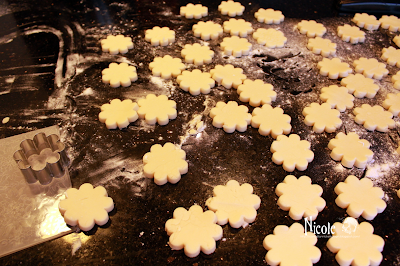
OK, now that you have the amount of pages decided and the shapes you are using we are ready to cut them. For this I wanted something thicker than card stock but not so thick as I have a lot of pages. So I am hoping this works. For this I went into my storage room and found a box of hanging files. Now, I may get in trouble when it's discovered I hacked up perfectly good files. But c'mon...I'm a scrabooker so I look at what I have before I buy! These files fit in your cutter, so just trim the top. Then cut along the the center crease where the file folds. Flip once more and cut off the other hanging end. Each file folder will yield 2 cut pages. Perfect thickness to layer your designer paper later on.
STEP 4.
Keep track of your cuts
I am using 5 different shapes for my pages. I already have my shapes sized and shaped from step 2. Using the quantity button figure out how many cuts your file folder pages will cut. In my case 4 out of the 5 pages could only take 2 cuts, and one could take 3 cuts. Confused? I am...but trust me, knowing how many cuts you can get out of each folder will save you time. Once you know how many cuts write it down on your card stock cut. Use each page cut like a note pad...you will be happy you did later! This way you will know how many folders you need to cut. Then you aren't cutting like crazy or cutting too few.
(TIP; I cut a couple extra pages as back ups. If you don't need them you can save them for another smaller amount of pages album)
STEP 5.
Trim the exess
I wouldn't be a crafter if I didn't save and trim the cut files. This is some pretty good thick stuff!!! Trim off and hold onto all the extra. We will (may) need this as we get further into the album. Do I know this for sure...NO? But these smaller pieces may be used for shapes, letters, tags to help embellish our album.
STEP 6.
Quantity Button is your Friend
As you are trimming file folders you can select your quantity, in this cas I have Qty:2 at 4 1/2". Ummm ya that was it for Step 6!
STEP 7.
Clips work
As you complete each set of pages, clip them off. This way you can work on each set of pages. This is where taking the notes come in handy. It's a lot to remember especially at 52 pages like I am doing. You'll want to know this for when you start cutting your pricy Designer Paper.
For each page I wrote;
the size
cartridge used
the letter I cut with
the size I cut at
how many pages I cut
and how many cuts I got out of each file folder.
If you are going to cut with 12x12 designer paper then it's easier and choose the Auto Fill button. Or use up those scraps!
STEP 8.
Bring on the Paper
For my Mini Album I have selected 2 paper packs purchased at 40% off. I am using Recollections Union Square pack. I have been eyeing this paper pack for months waiting for the right project to come along. Then I picked up Tim Holtz Crowded Attic paper. I wanted to break up the papers even though I LOVE them both. I cut this 12x12 Union Square page for the front cover...so I could get the "LOVE" on the front.
OK there you have it. The start of my VERY first tutorial! I am really excited to make this Mini Album and to share it with you. If anyone is going to follow along and build with me maybe I'll add your progress too? Any suggestions are welcome, just leave me a comment!
Oh and my Mini Albun is...
"52 Things I Love About You"
Hense the 52 pages.